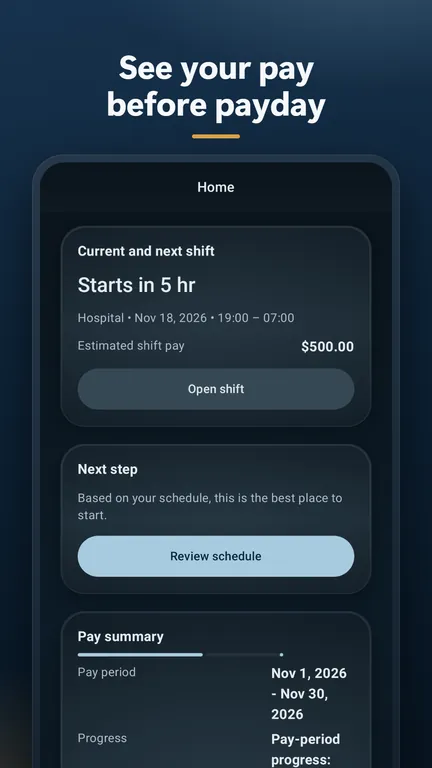
See your pay before payday
Your pay period total updates with every shift you add: hours, overtime and night premium, in your own currency.
 WorkShift
See your pay before payday. Plan day, night and 12-hour shifts, track overtime and get a reminder before every shift. No account needed.
Get WorkShift on Google Play
Android
WorkShift helps you plan changing shifts and see your pay before payday, with your records saved on your Android phone.
Your pay period total updates with every shift you add: hours, overtime and night premium, in your own currency.
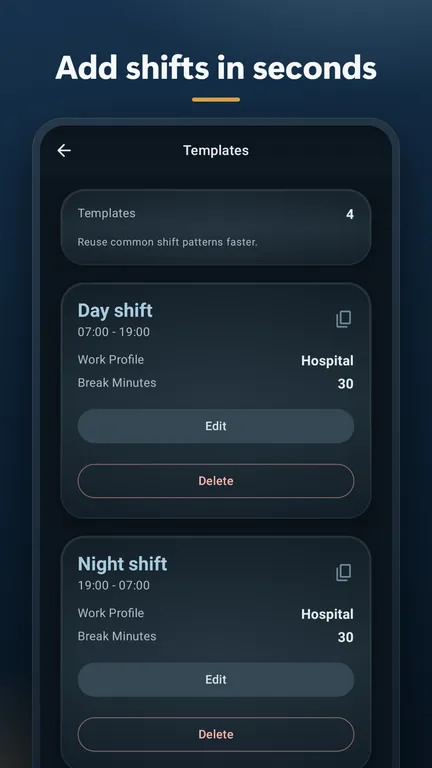
Save your usual shifts as templates and apply rota patterns like 2-2-3, 4 on 4 off or 12-hour shifts to a whole month at once.
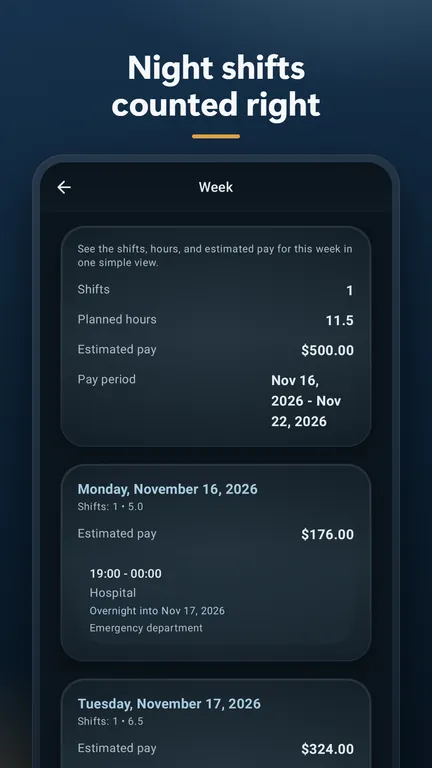
A shift from 22:00 to 06:00 stays one shift. Night hours get your night premium, and the hours land in the right day, week and pay period.
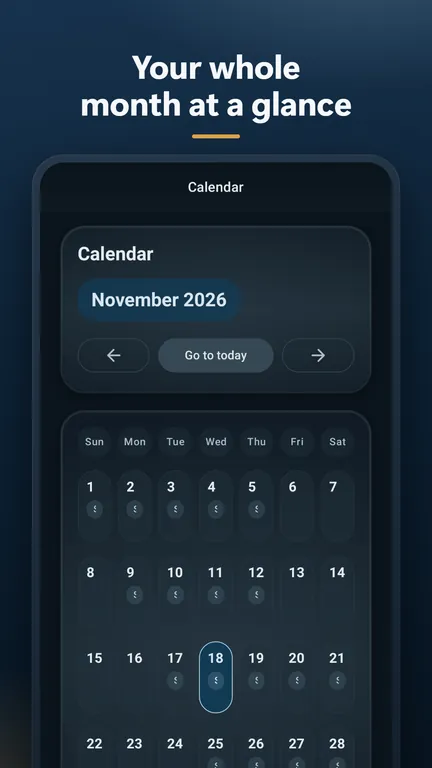
A monthly calendar with every shift, colour-coded by job, and the day's details one tap away.
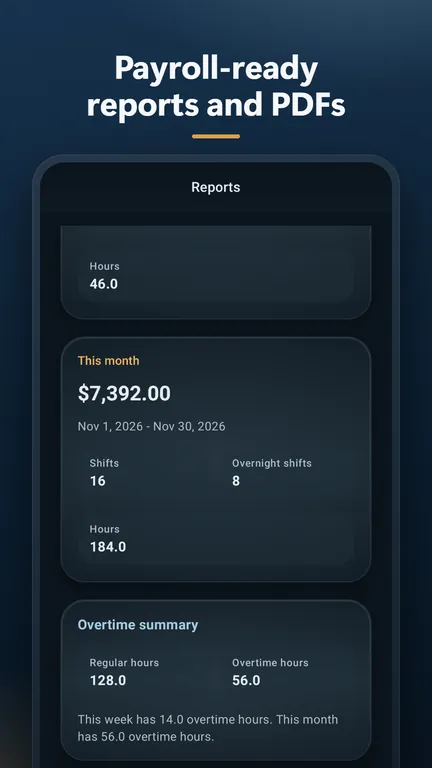
Weekly, monthly and pay-period totals, plus a printable PDF with base pay, overtime and night premiums broken down.
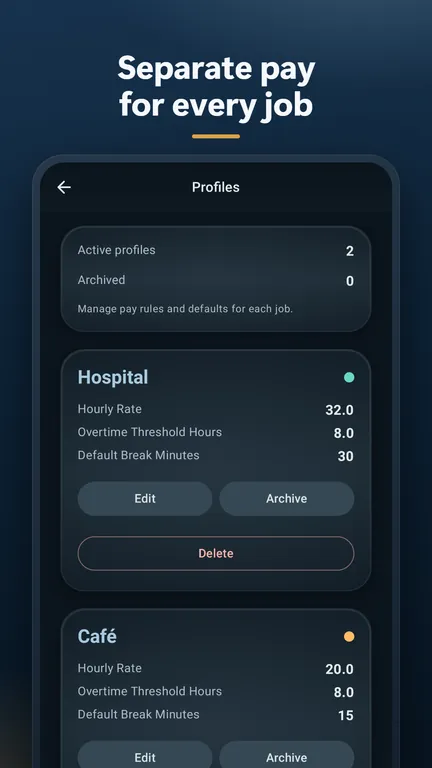
Keep a work profile per job with its own hourly rate, overtime rule, night multiplier and break.
Product preview
Plan your shifts, save your pay rules and see your working month in one Android app. See paid hours, overtime and night premiums together for each pay period.
Plan a week, review each day, and keep night shifts readable.
Check paid hours, overtime, night extra, and pay-period totals before payday.
Save the next-day end time for a shift crossing midnight. Deduct the unpaid break from the shift's worked hours.
Check the day, week and pay period after a rota change.
Start with your hourly rate, unpaid break and usual shift times. Save early, late and night shifts as templates, then apply a 2-2-3 or 4-on-4-off pattern across the month. Choose the first date and the position in the rotation so days off continue correctly into the next month.
Keep a 22:00–06:00 shift in one record, including the next morning's finish time. For a 12-hour shift, save the break with the start and end times. Your work profile supplies the overtime threshold and night multiplier, while the calendar shows the job and the details for each day.
Choose how long before the shift you want a local reminder. Put the widget on your Android home screen to check the next shift and estimated pay. When hours change, open the day's agenda to update times and notes, then check overlaps and the rest time before your next shift.
Nurses and healthcare staff, security officers, retail and hospitality teams, hotel staff, call center agents, warehouse and delivery workers, and anyone working more than one job.
WorkShift is an Android app by AlazSmartSystems. Plan your next shift, check this week's hours and keep your pay rules with your own records.
Choose the kind of shifts you work to see examples of night duty, long shifts, changing hours and separate pay rules for more than one job.
Set your usual hours once, apply a repeating rota and see how each change affects your pay period. Keep start times, breaks and pay rules together for every job.
Set your usual hours once, apply a repeating rota and see how each change affects your pay period. Keep start times, breaks and pay rules together for every job.
Overtime, night pay, backups and subscriptions: the details you need for your next working month.
Each work profile has an overtime threshold per day or per week, and a week start you choose. Hours above the threshold count as overtime and are paid at 1.5×, added on top of your base pay.
Hours between 22:00 and 06:00 get your night multiplier as a premium added to base pay. A shift that crosses midnight stays one shift.
No. WorkShift works without sign-up. Your data stays on your phone, and you can export a backup file at any time.
Yes. Premium gives each job its own work profile and pay rules. The free plan includes one.
Yes. The report shows every shift with hours, overtime and pay, plus totals per job and per week, with optional signature lines.
$2.99 a month or $14.99 a year in the US (₺59,99 / ₺399,99 in Türkiye). The free plan stays free.
Yes. The yearly plan starts with 7 days free for new subscribers. Cancel in Google Play before the trial ends and you pay nothing.
English, Türkçe, Español, Deutsch, Français, Português (Brasil), Русский, العربية, 日本語, 한국어, 简体中文.
WorkShift is an Android app by AlazSmartSystems.
Android
Add your first work profile, save a day or night shift and set a reminder. Your next shift and this pay period's earnings are ready to check on your phone.
Your shifts, templates, work profiles and pay rules are stored on your phone; local export and import let you move them to another Android device.
Email support@workshift.com.tr with your app version, Android version and a description of what happened so we can help with your schedule, reports or subscription.